
Chord Player
Chords with a full band.
Free · Works offline · No account
Chord Player
Chords with a full band.
Free · Works offline · No account
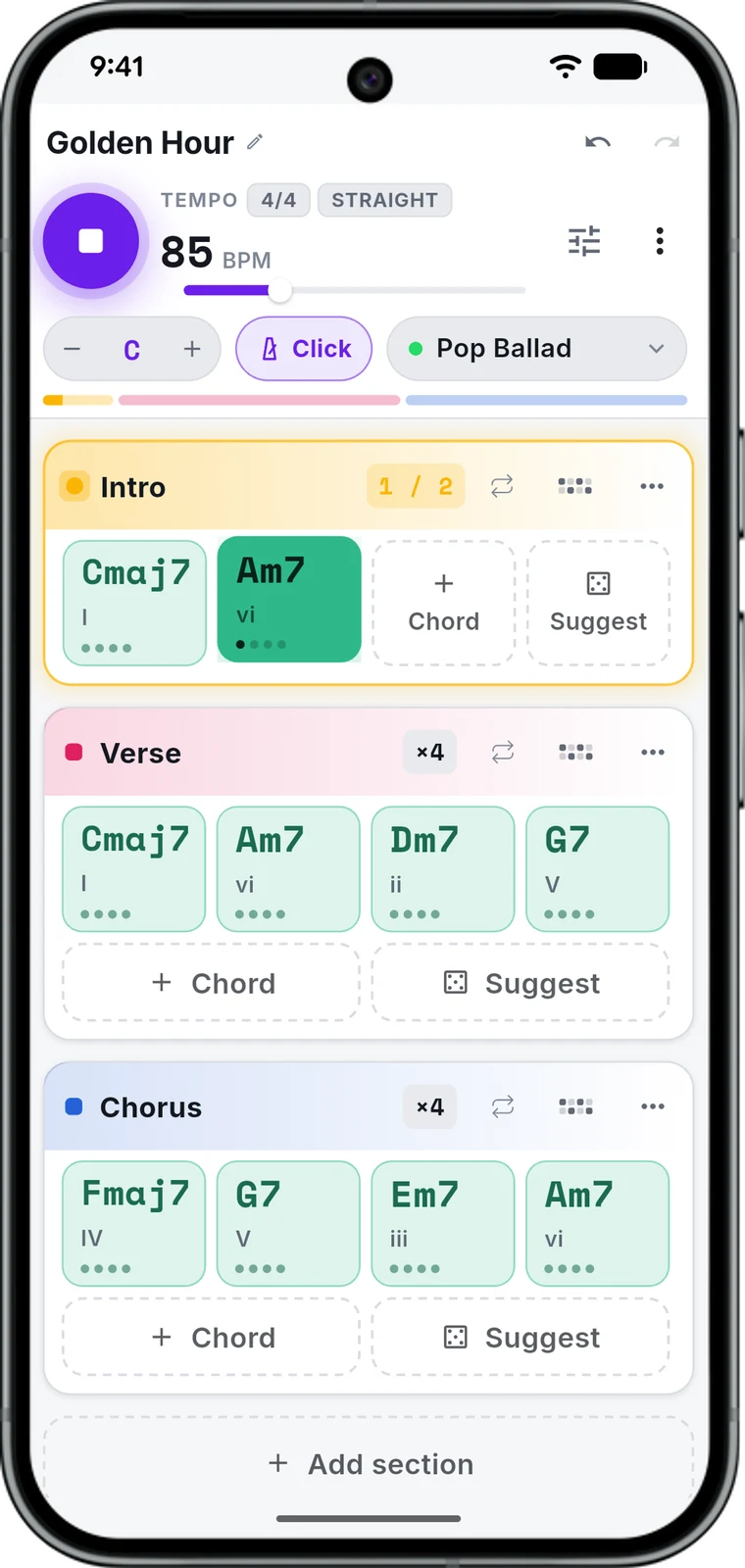
A chord is a group of notes played at the same time — like pressing a few piano keys together so they ring out as one sound. A chord player lets you pick a sequence of chords, choose a speed and a style, and hear them played back with real piano, guitar, bass, and drum sounds — like a full band playing your idea out loud. No sheet music and no instrument needed — just click and listen.
Step by step
Pick a speed and a style. Try pop, rock, hip-hop, or reggae — each comes with its own drumbeat, so the same chords feel completely different.
Add your chords. Add Chord one at a time, Suggest for progressions real songs use, or hit Random and let the tool surprise you.
Arrange them. Drag any chord to reorder or remove it. Group them into parts with Add Section — like a verse and a chorus.
Loop a section. Hit Loop on any section to keep just that part playing while you work on it.
Sound tools
Instruments
Mute a track or drag its volume up or down. Piano, guitar, bass, and drums each get their own controls.
Mix
A real console: 3-band EQ, reverb, and compression for the whole mix.
Section variations
The small piano, bass, or guitar icon next to a section's name gives it its own melodic pattern.
Edit Rhythm
Edit the current drum pattern, or New to build one from scratch.
Transpose
Shift every chord up or down at once, no retyping.
Wrap up
Save
Keeps your pattern in your library. Free account required.
WAV export
A real audio file of your pattern, ready to use anywhere.
Use cases
Use it to find a new chord pattern for a song you're writing, make a backing track to sing or play along with, or just try the same chords in a different style — like turning a slow pop song into a fast rock one — before deciding which version you like best.
Questions
No — you can build and play chord patterns without signing up. An account is only needed if you want to save a pattern so you can find it again later.
Yes. Every feature is free, including downloading your pattern as a WAV file. No paywall, no limit on how much you can make.
Yes — open "Instruments" to pick piano, guitar, bass, and drum sounds, silence or spotlight any one of them, and adjust how loud each one is.
Yes — the WAV button turns your pattern into a real sound file you can download, at whatever speed and style you last had it set to.
Need inspiration? Browse chord progressions by genre →