Chord Player for Android.
Build a song. Hear the band.
Write chord progressions on your phone and hear them played by drums, bass, piano and guitar, even with no connection.
What the app does
Songs, section by section
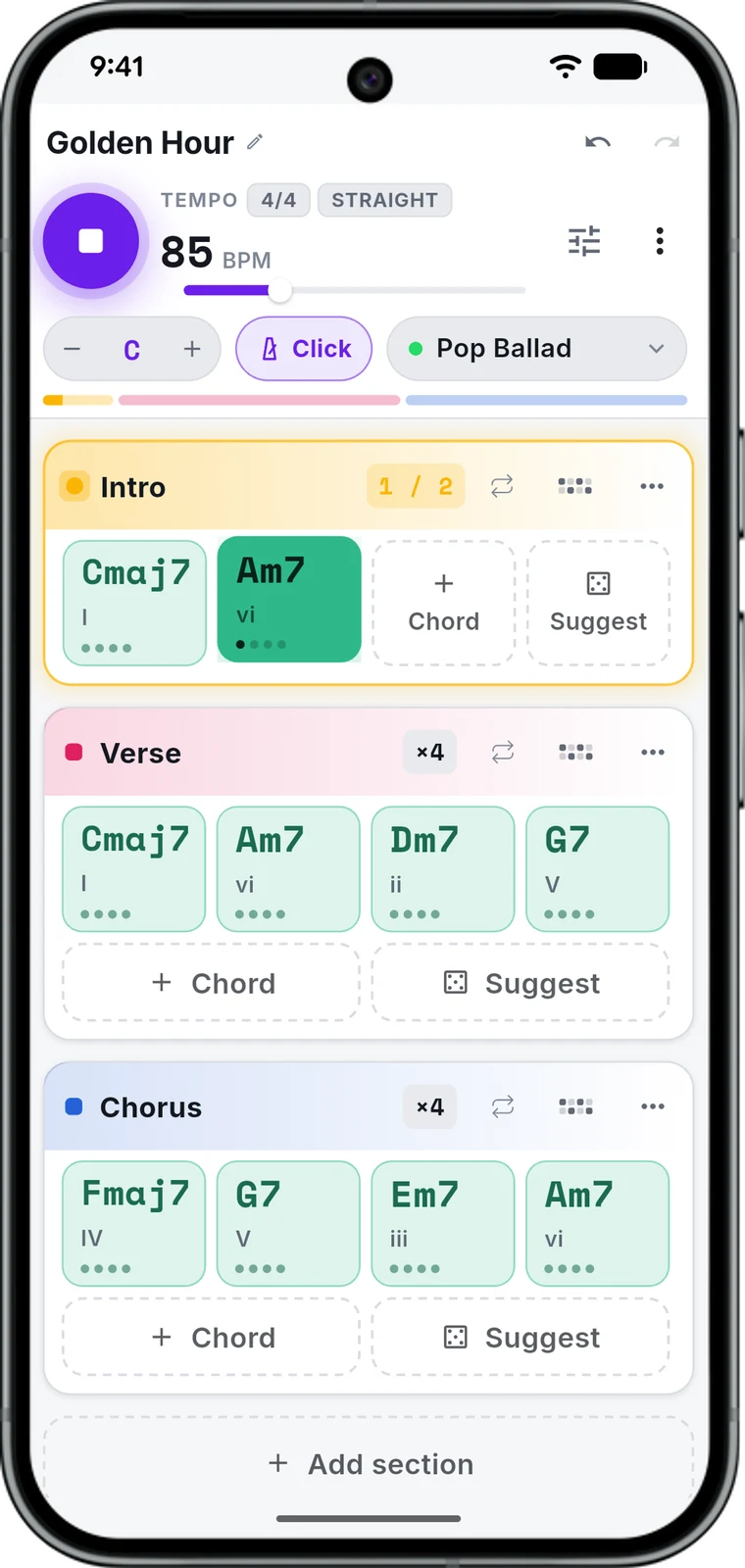
Intro, verse, chorus: each section holds its own chords. 15 chord types, slash bass notes, half-beat lengths, and piano and guitar diagrams for every chord.
A band that plays along
Drums, bass, piano and guitar in 17 styles, from Reggaeton and Bossa Nova to Jazz Waltz and Slow 6/8, with a metronome and a count-in.
Make the groove yours
Edit every instrument on a step grid, add swing, and play in 4/4, 3/4, 6/8 or 5/4. Nine drum kits, and a pattern you save once can be reused in any song.
Mix it
Volume, pan, EQ, compression and reverb for each instrument, so the band sits the way you want before you export.
Export it
M4A to share, WAV to keep editing, or MIDI to open the notes in your DAW.
Start from something
Open one of 11 songs, from Flowers to Easy on Me, or one of 8 classic progressions, and change it instead of starting from a blank page.
What it looks like
Six screens from the app, on a phone.
-
Your song, section by section. The chord that is playing lights up as it goes.
-
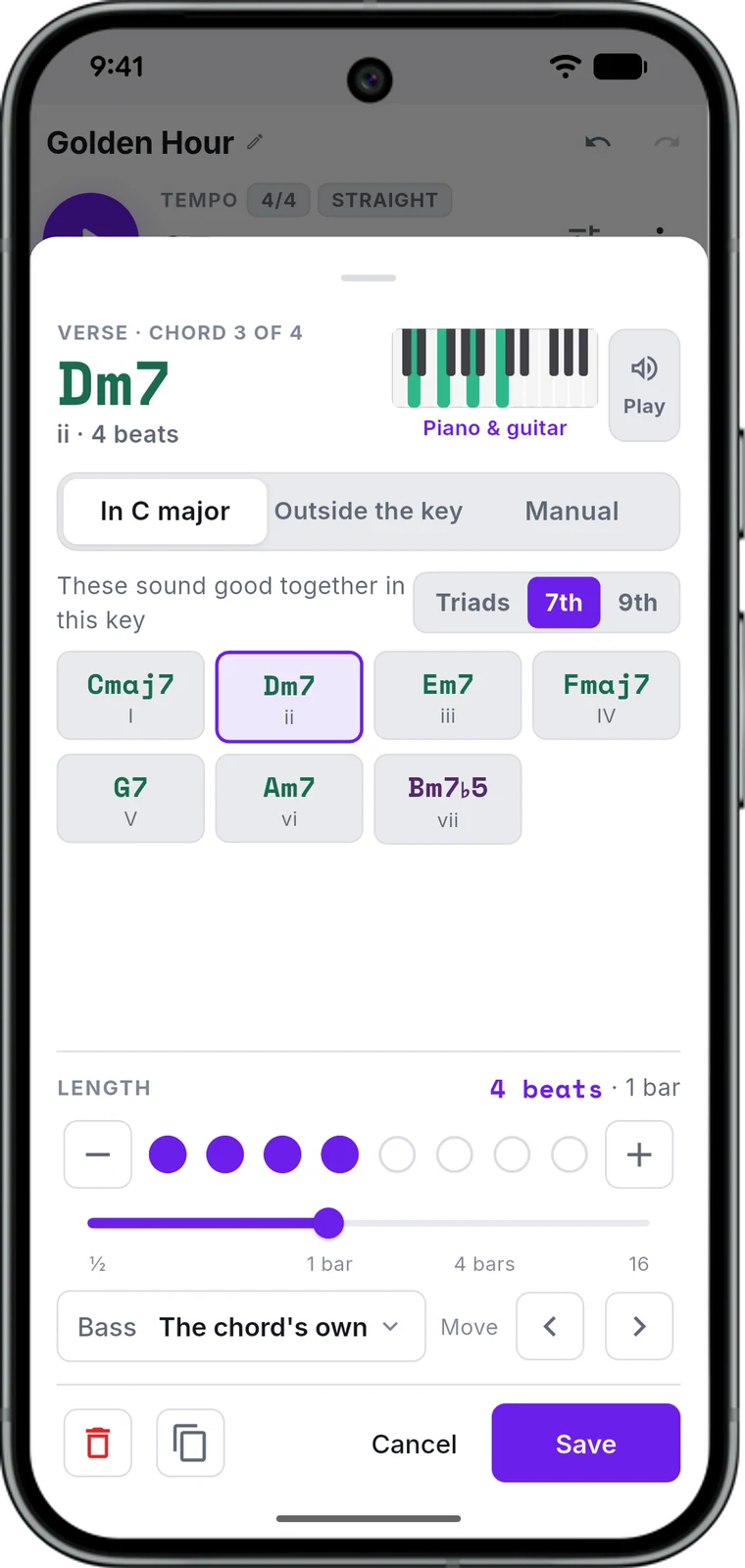
Pick a chord from the key, from outside it, or spell it yourself.
-
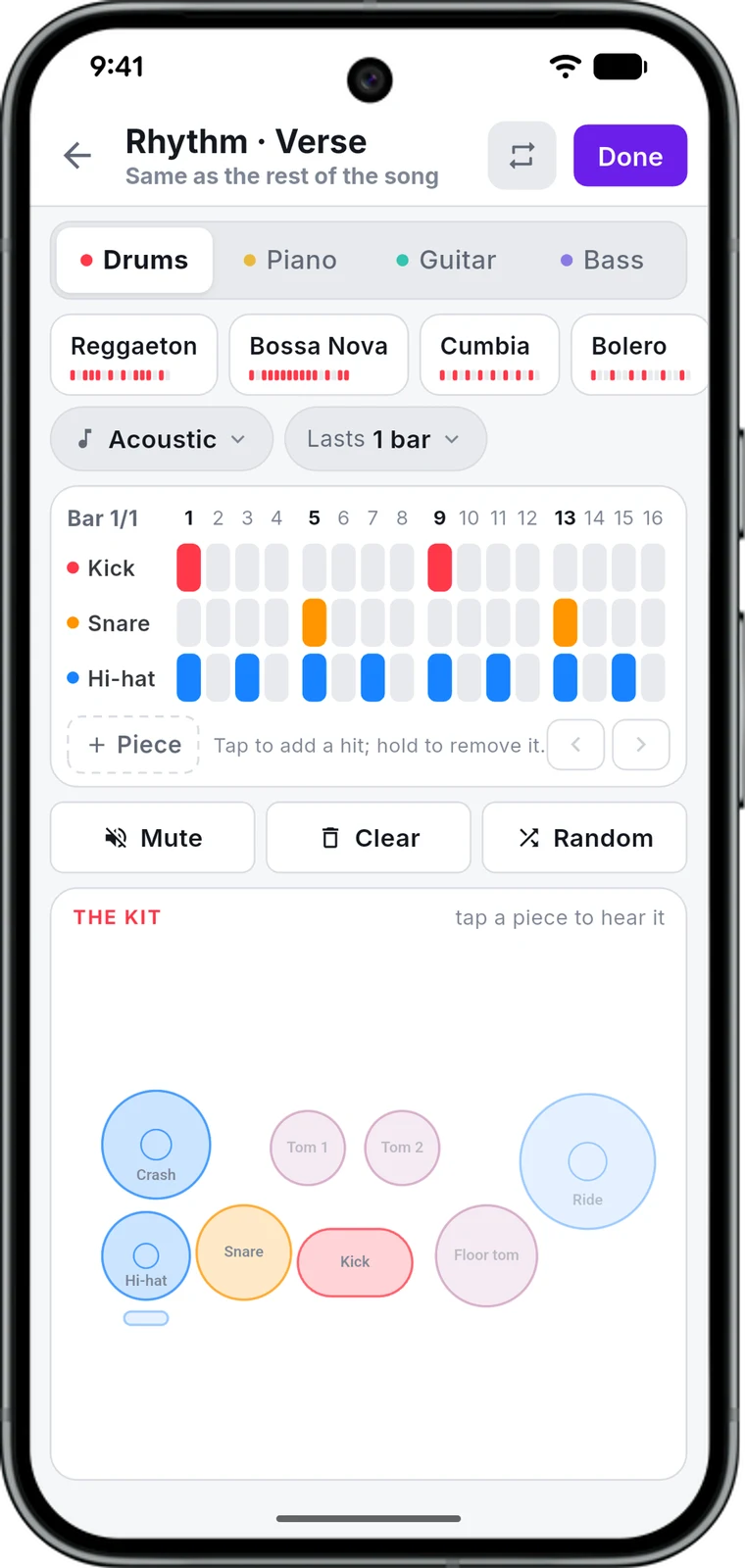
Edit the groove step by step, one instrument at a time.
-
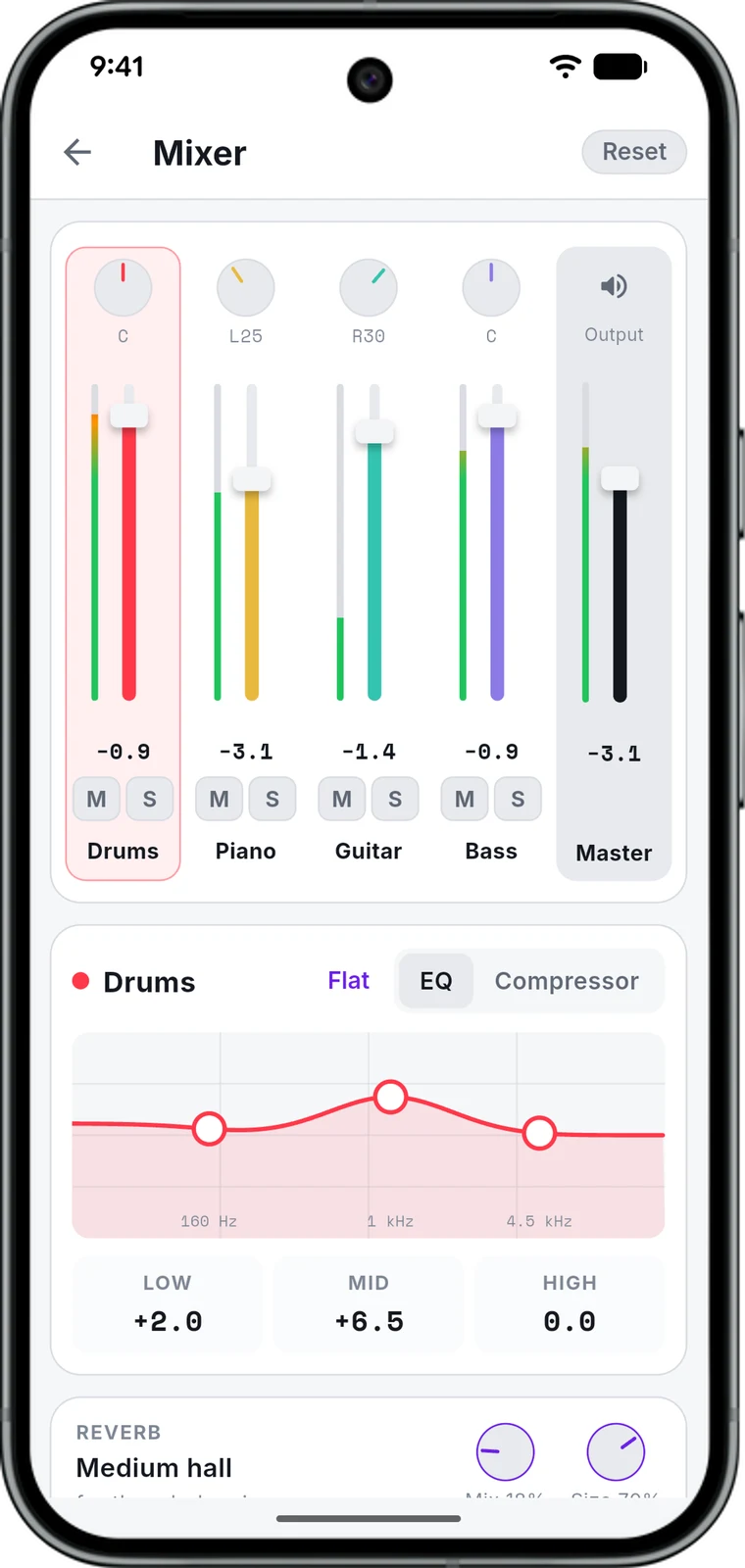
Level, pan, EQ, compression and reverb, per instrument.
-
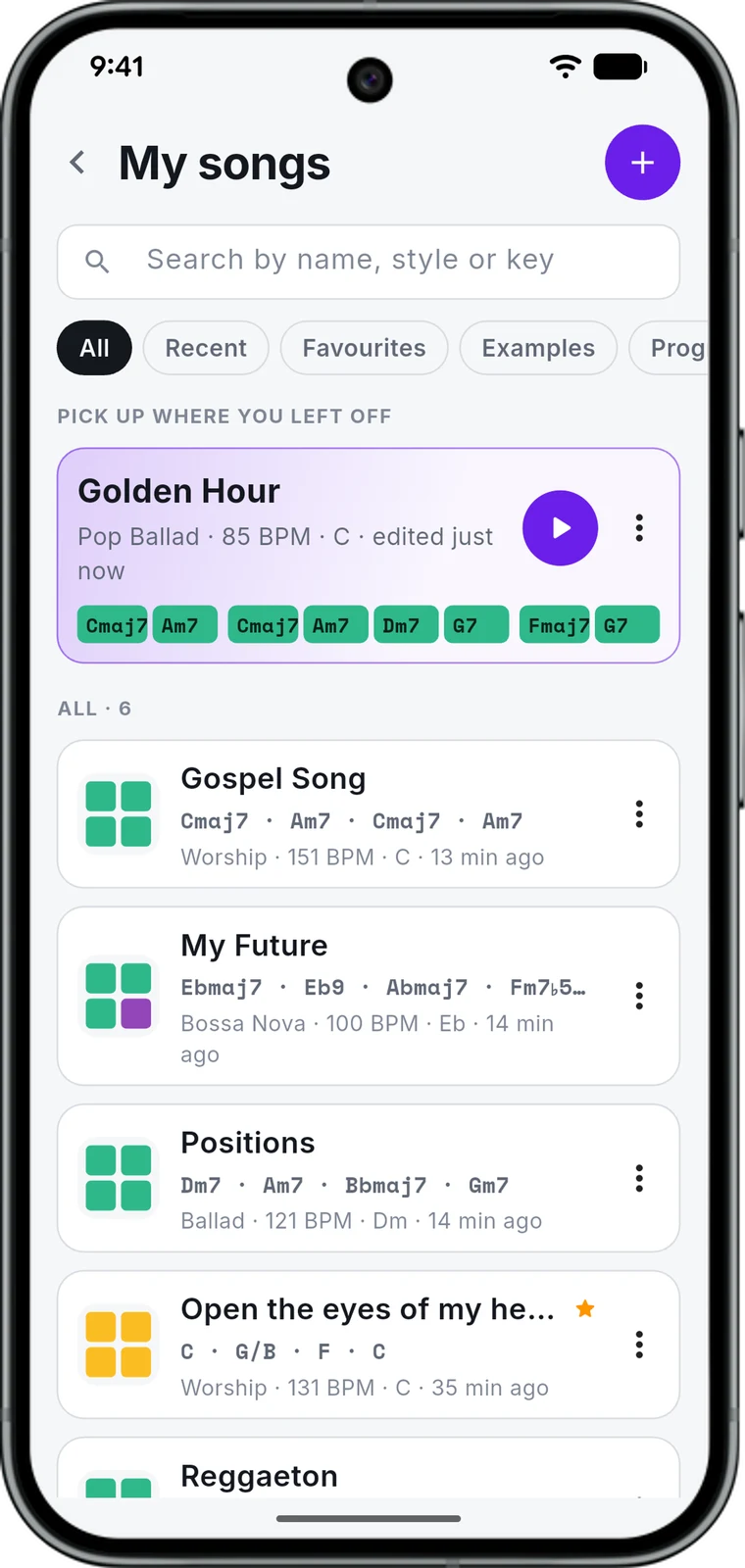
Your songs, plus 11 to start from and 8 classic progressions.
-
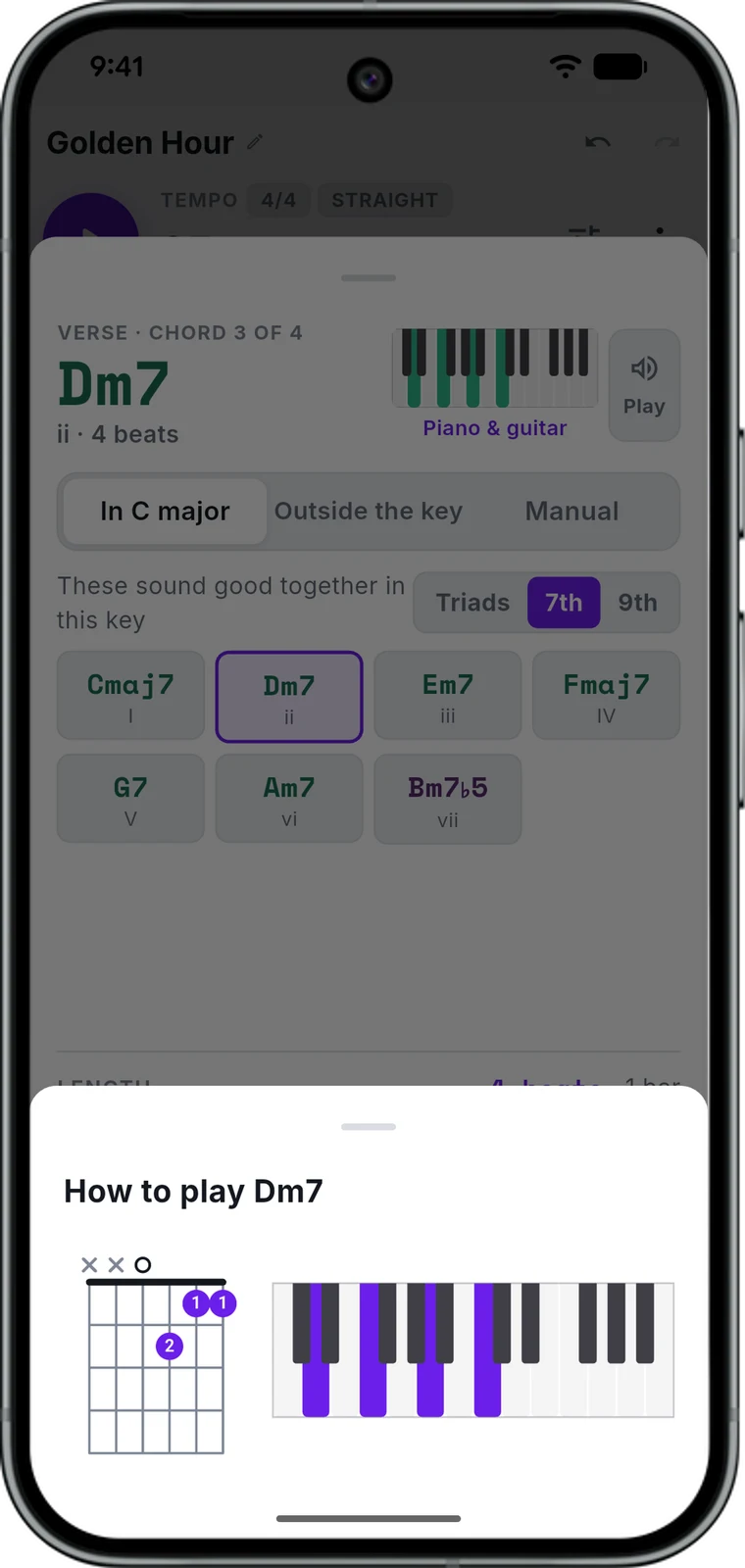
Every chord as a guitar shape and on the piano.
Hear the band
"Golden Hour" — the song in the screenshots, three sections in a pop ballad, exported straight from the app. Nothing was added afterwards.
Drums, bass, piano and guitar, played from the chords in the app. 1:43 · M4A.
How a song goes
- 1
Write the chords
Add a section, tap to add chords, and set how long each one lasts. The app names the degree, so you can see the shape of what you wrote.
- 2
Pick how it plays
Choose a style and the band plays your chords in it. Any section can keep a groove of its own.
- 3
Shape it and take it
Edit the pattern step by step, mix the four instruments, and export M4A, WAV or MIDI.
The app speaks English and Spanish, and follows whatever your phone is set to.
App or browser?
Same idea, two places to use it. Pick whichever fits where you play.
| Android app | Chord Player online | |
|---|---|---|
| Works offline | Yes | No |
| Account | None, songs stay on your phone | Free account to save songs |
| Export | M4A, WAV, MIDI | WAV, MIDI |
| Share a song by link | No | Yes |
| iPhone and computer | No | Yes |
Questions
Is it free?
Yes, the whole app. There is nothing to buy inside it and no account to make.
Does it work without a connection?
Yes. The sounds are on your phone, so writing a song and hearing the band work in a basement or on a plane.
Is there an iPhone version?
Not yet. On an iPhone or a computer, Chord Player runs in the browser instead.
What can it export?
M4A to send to someone, WAV to keep editing, and MIDI to open the notes in a DAW.
Which languages does it speak?
English and Spanish. It follows your phone, and Android lets you set the app to one or the other on its own.
Where do my songs live?
On your phone. Nothing is uploaded, and deleting the app deletes them with it.
Take your songs with you
Free on Google Play. No account, no connection needed.